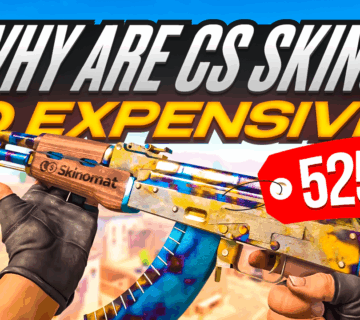
CS2 skins trading is a large industry, and many players look towards CS2 skins as not only a way to make money, but also as a form of investment. Since CS2 traders treat this matter so seriously, researching CS2 skins as well as the game’s economy is crucial for anyone looking to make money off CS2.
Expensive CS2 skins can be worth a small fortune, and the most expensive weapon finishes sell regularly for over $15 000 a piece. With such serious money involved, it’s no surprise that traders and collectors first want to see what they’re getting into when they buy or sell CS2 skins.
Thankfully for anyone who wants to see their potential purchase in action the CS2 community has created special inspect servers which allow any player to temporarily try out any skin that they wish.
If you’re looking to try out some rare and expensive skins before purchasing, you’re in the right place! Here’s what you need to know about CS2 inspect servers!
As always, if you’re looking for the best place to sell CS2 skins, make sure to check out the rest of our website!
What are CS2 inspect servers?
In brief words, CS2 inspect servers allow players to check out any skins that they might want to potentially purchase and add to their inventory. These are community servers which allow players to try on different weapon finishes via CS2 console commands and see how their potential new purchase looks in-game.
Inspect servers are a staple among CS2 traders and no professional trader or skin collector makes a purchase without trying it out first. This is especailly important when purchasing expensive knife skins, as it allows you to test out not only different lighting, but also check out each knife’s unique animation.
There are multiple CS2 inspect servers available and most are ran by the community or reputable trading sites. While these servers aren’t officially approved by Valve, the CS2 communty goes to great lengths to ensure that anyone can use a CS2 skin inspect server to try out their next purchase.
How to use CS2 skin inspect servers?
As weve already mentioned, CS2 skin inspect servers are all community ran, and fully utilizing their capabilities requires some extra knowledge.
First of all, you must choose which CS2 inspect server you wish to connect to. These community servers run a number of different plug ins, which enable players to test out various CS2 skins, which is otheriwse impossible. There are many different skin inspect servers available at the moment, depending on your individual needs.
If you want to use CS2 inspect servers, you have to first find their IP, which is most commonly listed on a server’s website. At the moment, the best CS2 inspect servers are:
- nuke.epidemic.gg
- mirage.cs2inspects.com
- CSFloat
Once you’ve got the server’s IP, you can connect to it just like any CS2 community server. In order to join a CS2 skin inspect server:
- Open up the game
- Open the developer console (make sure its enabled)
- Type in ‘connect’ followed by the IP of your desired server
If you’ve followed all of the steps correctly you should now be in-game and ready to inspect skins in CS2. However, before you start inspecting your desired skins, you must first find their appropriate CS2 skin codes.
What are CS2 skin codes?
If you want to try out any of the skins in the game, you must first obtain that skin’s individual code, simply known as skin codes. These codes are a string of numbers, which contain infornamtion about the skin, such as its name, float values or any potential modifications, which need to be inserted in the CS2 game console. To get CS2 skins codes:
- Visit CS2Inspects.com and find the code vor your desired skin and its version
- Open the CS2 developer console (you can also type in the command in the game chat)
- Type in ‘!g’ followed by your chosen skin code
While this is the most common method, some CS2 inspect servers rely on special in-house bots, which will generate the skin code for you. You can also find skin codes by inspecting player’s inventory, which can be a great way to test specific copies of certain skins with rare skin patterns and expensive CS2 stickers.
Are CS2 skin inspect servers legal?
Yes, you won’t be VAC banned for joining a skin inspect server. Any of the CS2 skins you equip in this manner are only temporary, and you can’t sell CS2 skins you add via skin codes. While this can be a great way to test out your skins in different backgrounds and lighting, you won’t be able to carry them to ranked matches, meaning that while it’s possible to try out a Dragon Lore AWP in this manner, you won’t be able to equip it once you leave the server.
Although you can’t sell CS2 skins you equip on a skin inspect server, it’s still a powerful tool, which can be effectively used by any CS2 trader. While the CS2 skins you equip on an insepct server won’t make you money in themselves, by inspecting CS2 skins you can make better trading decisons, and in the process get better deals when you buy or sell CS2 skins.